
01 The client

Talk.
Voice · text · photos · files · Work desk · Apple surfaces
Talk, type and share across iPhone, iPad, Mac, Apple Watch and CarPlay. Your conversations stay in sync, and Work keeps what you collect for later.
Conduck is the native Apple interface for the self-hosted agent, model server, or hosted model you choose. You choose and configure that AI connection: a provider account you control, a server you run, or a gateway whose operator invited you. Think of Conduck as the remote control: the AI you choose does the thinking.
Where Conduck fits
Conduck is where you talk, type, send photos and files, collect materials in Work, and keep one conversation moving across your Apple devices. An optional gateway handles tools and files; your model creates the answer.
Voice · text · photos · files · Work desk · Apple surfaces
Tools · files · actions · orchestration
Reason · generate · answer
Two ways to start
Choose a hosted model for the fastest start, or connect an AI server you control for the most flexibility. Both paths use the same guided setup. And if your AI is one you built or drive from a terminal, a small adapter written to the published contract puts any agent harness behind Conduck too.
Fastest
No server to run. Create an OpenRouter key, bring it to Conduck, and you’re chatting in minutes - try the app before hosting your own. In Conduck, open Settings → Personal AI → Guided Setup and pick “OpenRouter with your key”.
Chat, images and text files - no tools, no file transfer.
See how setup works→Most flexible
Run a self-hosted AI agent - or a server that implements the OpenAI-style routes Conduck needs - on an always-on machine you control: a VPS, or a Mac mini at home.
A compatible endpoint that passes Conduck's route and response checks, reachable over HTTPS - or over plain http:// on your own network.
Browse connection paths→iPhone · iPad · Mac · Apple Watch · CarPlay
Type or tap the mic from the same composer on every surface. Attach a photo, screenshot, or file when words are not enough - or save it to Work for later.
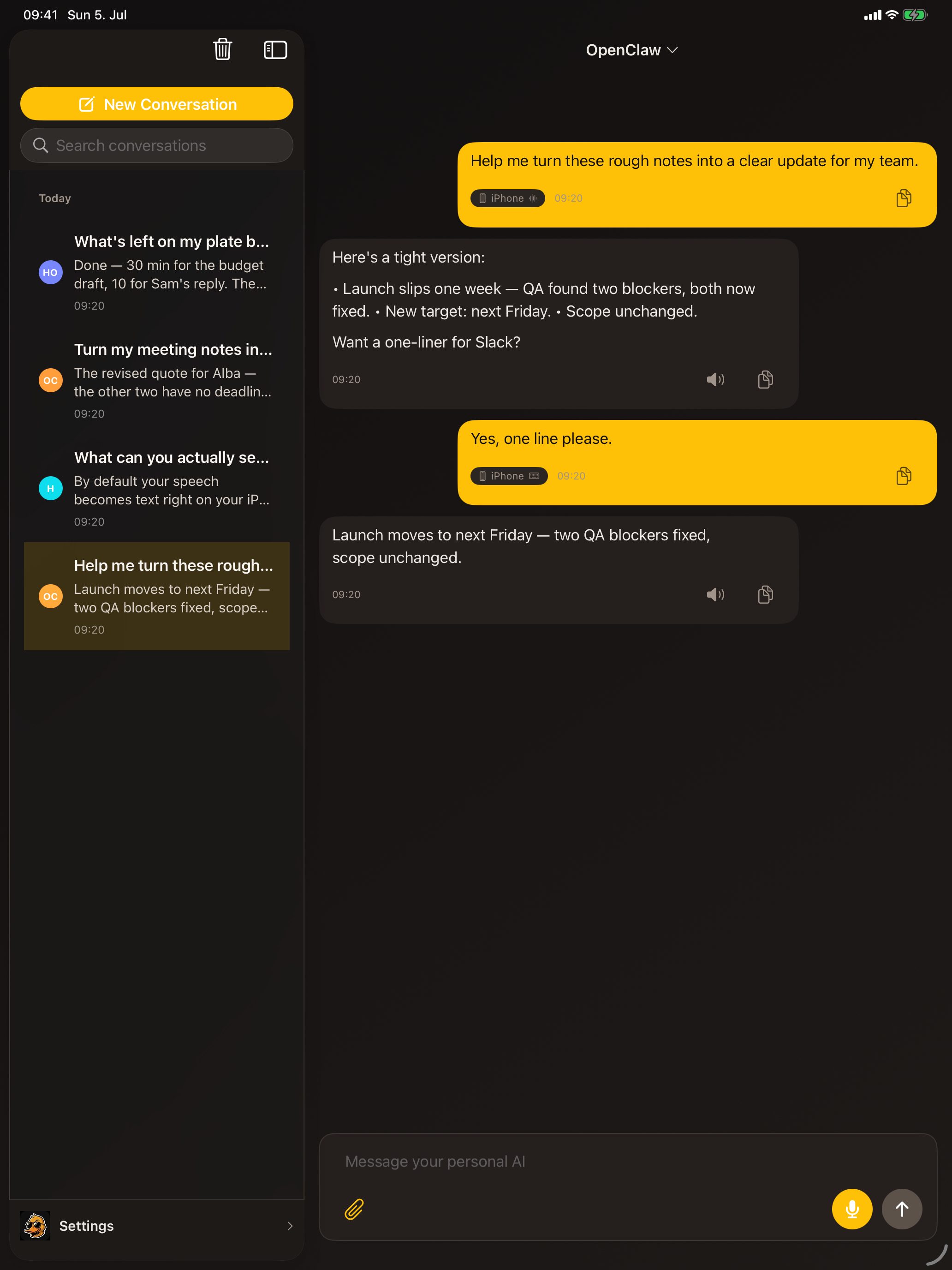
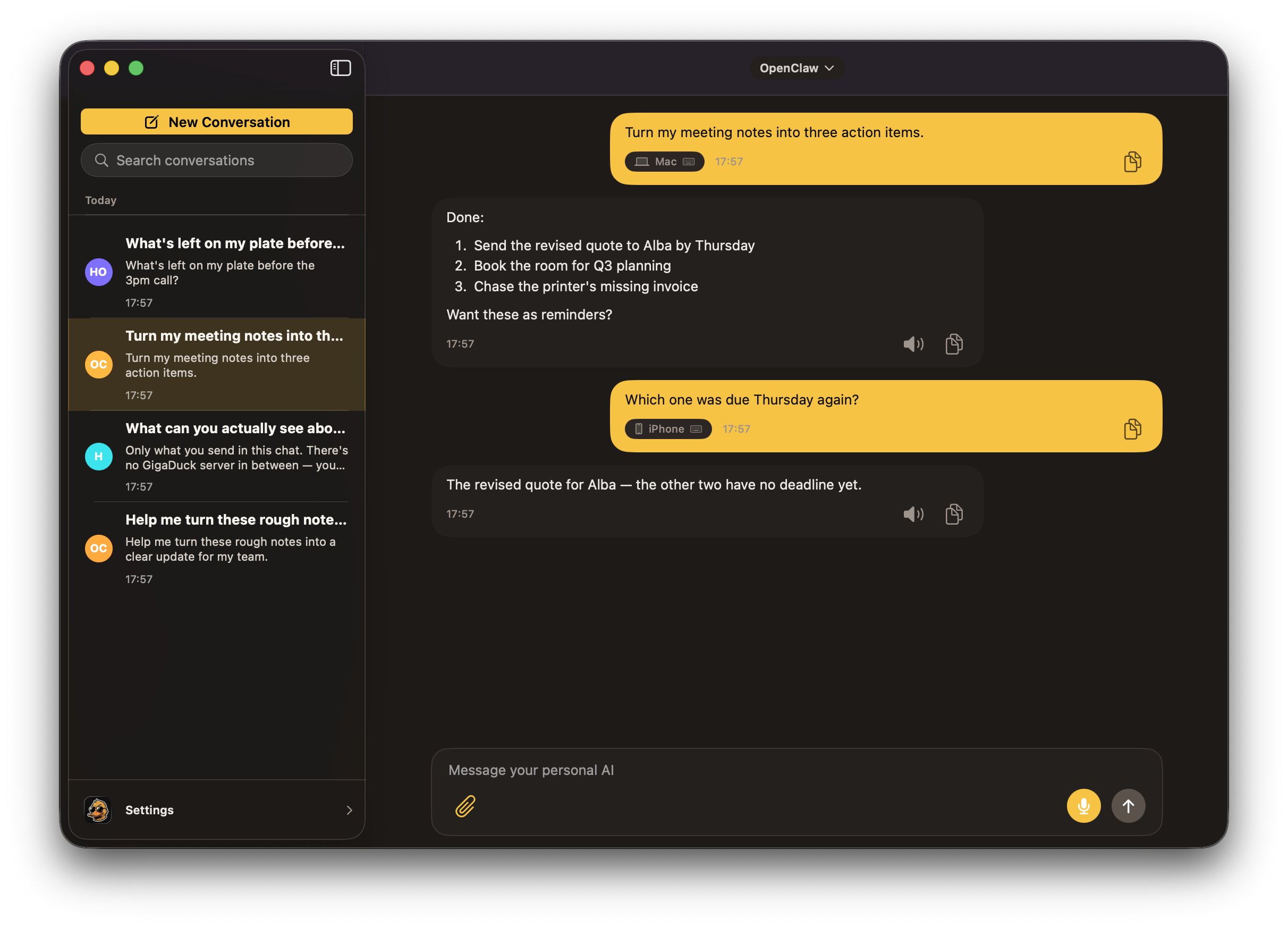
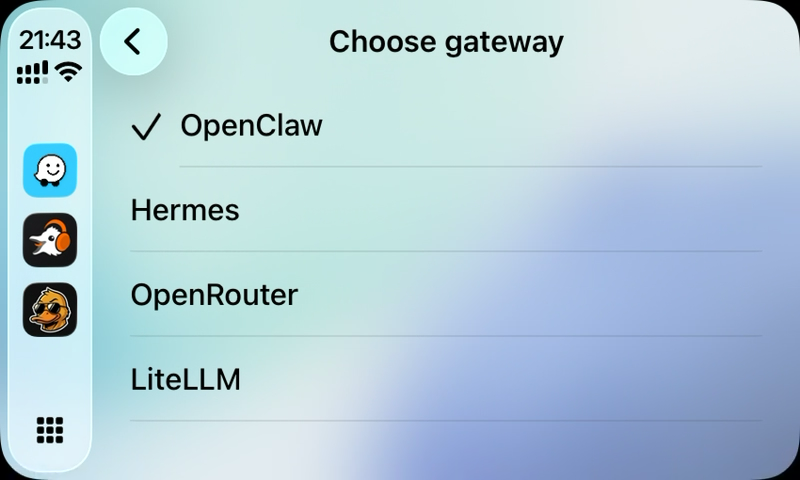
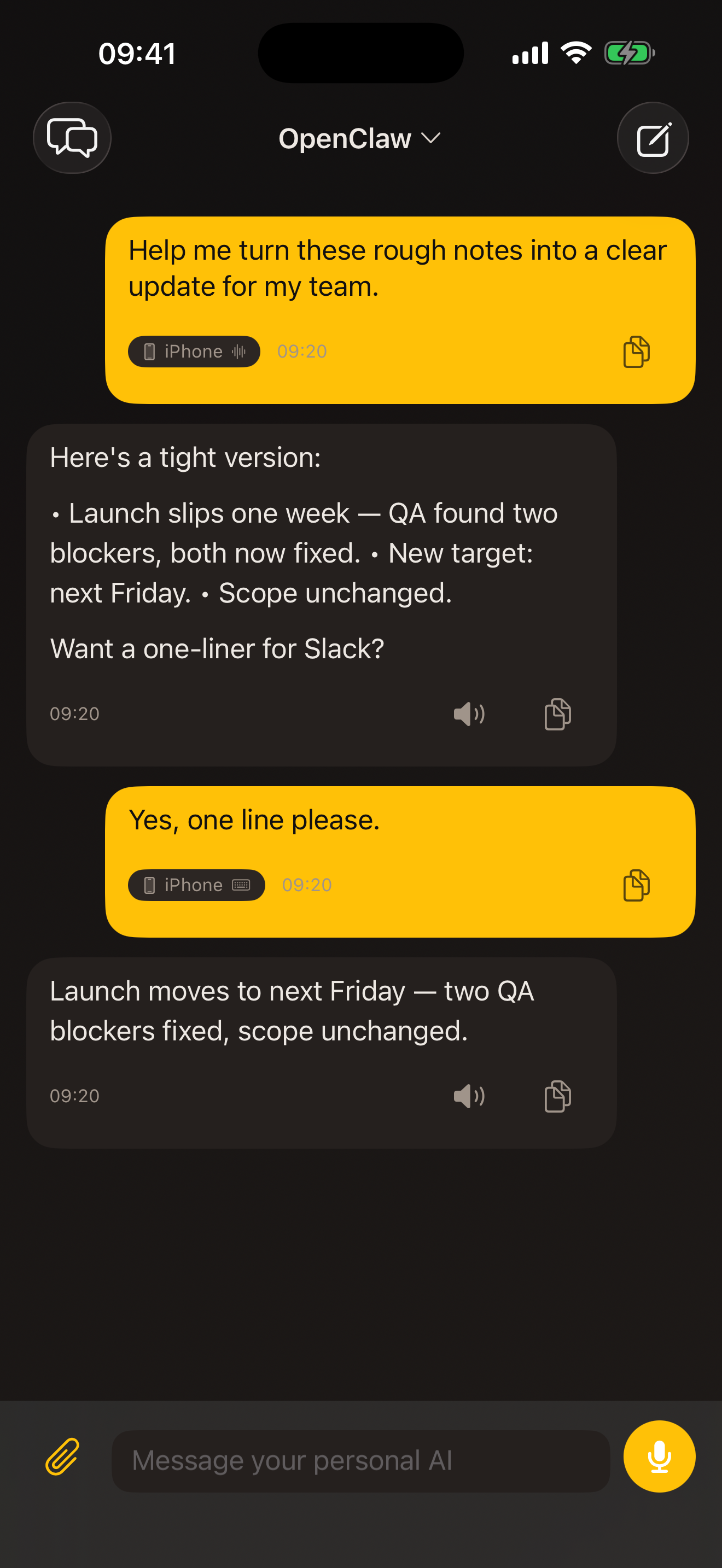
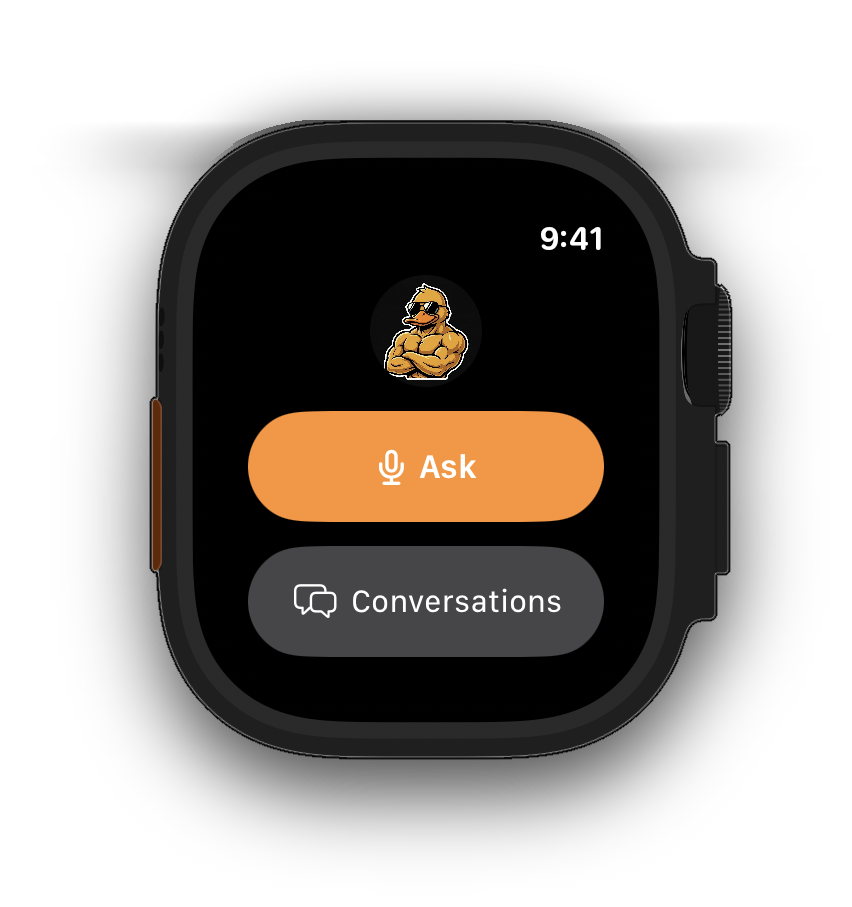
Select any screen for a closer look.
Swipe through all five surfaces
Start on Mac, finish on Watch. Your threads sync through your own iCloud.
Requires iOS, iPadOS, macOS, and watchOS 26.5 or later.
Work
A private desk beside your chats. Drop in a thought, a voice note, a screenshot, a link or a file the moment it appears. Nothing goes to your AI until you decide to ask.
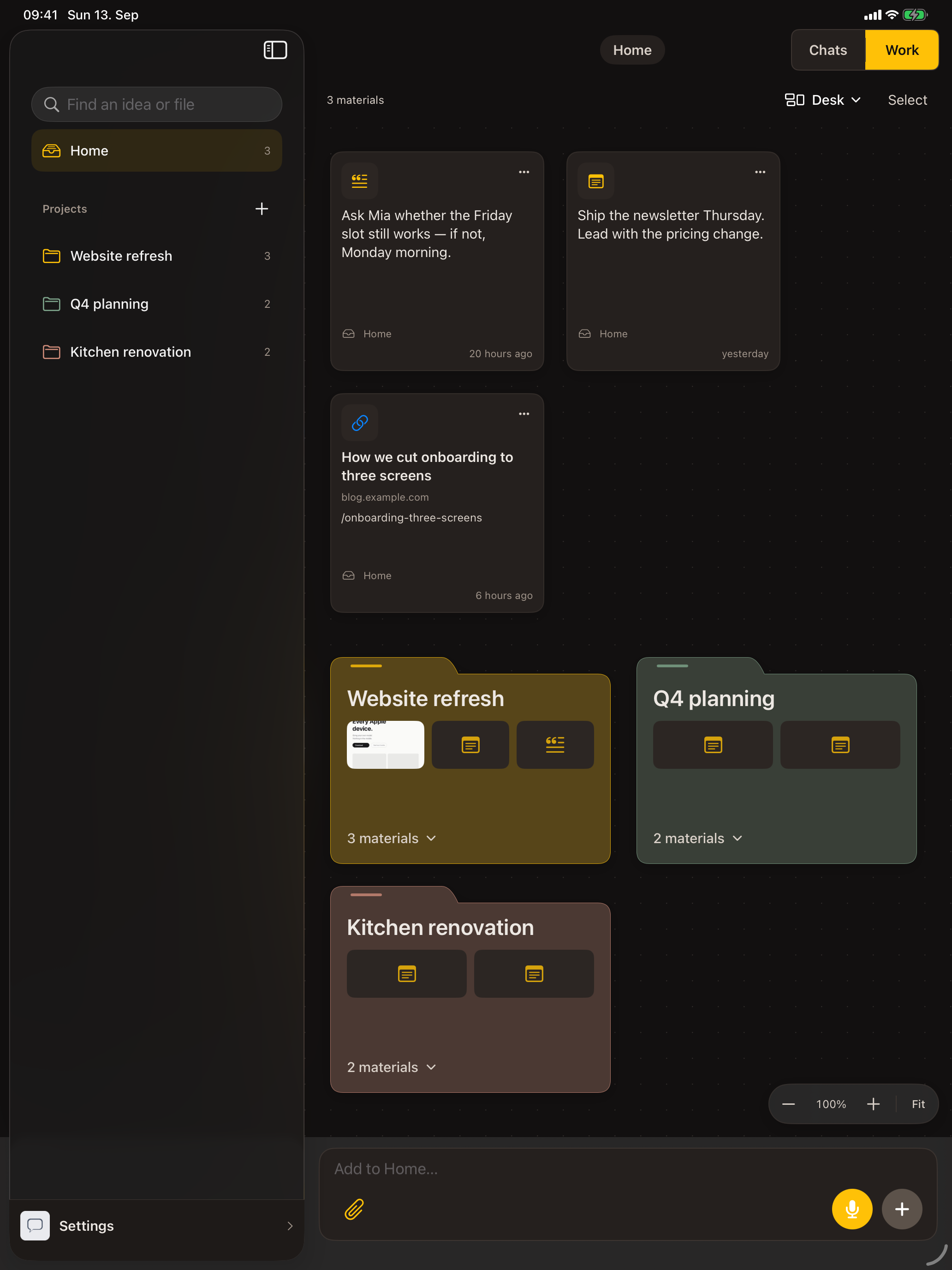
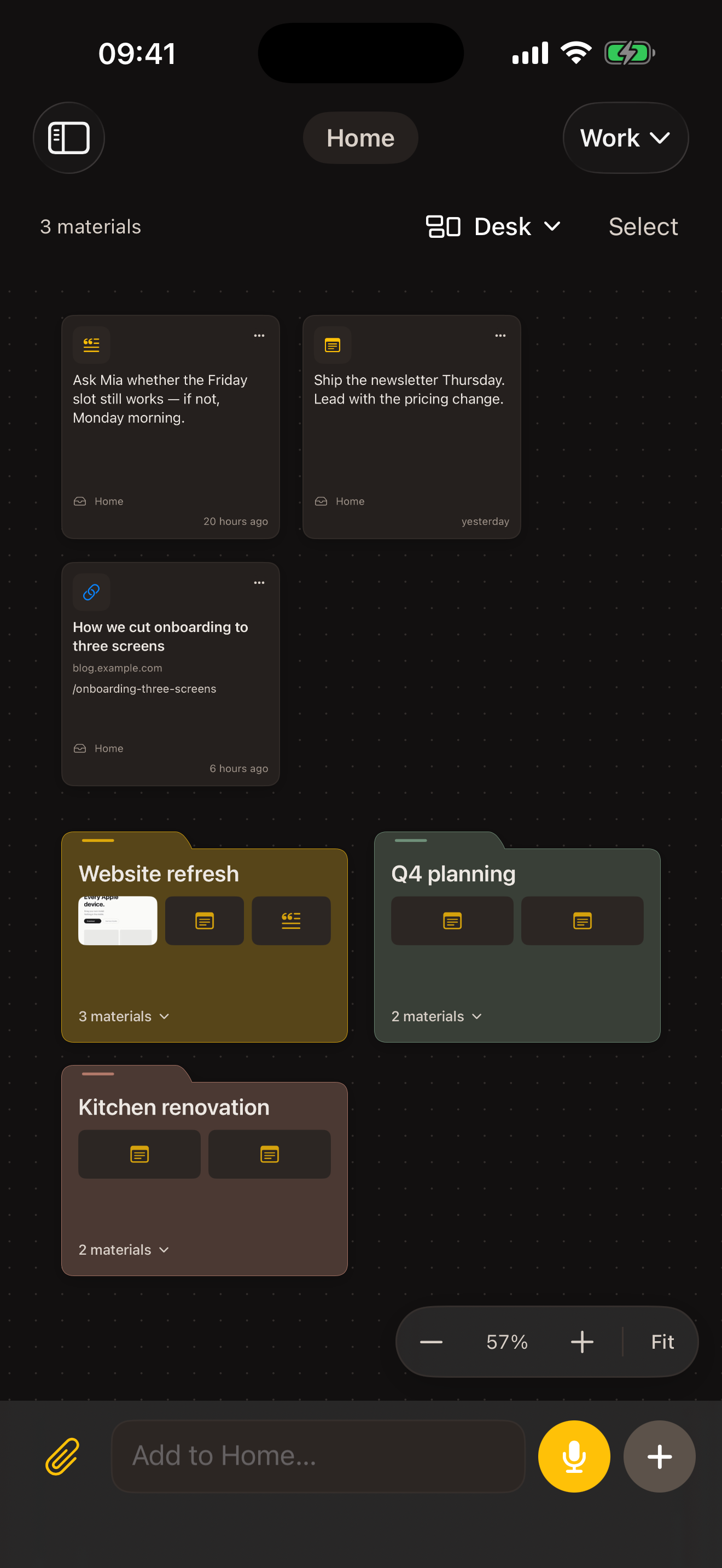
From the app, the share sheet, Shortcuts, the Mac menu bar, Apple Watch or CarPlay. A voice note lands as words.
Adding to Work sends nothing to your AI. Arrange cards on Home, or file them into projects with their own background notes.
Write the task, pick the materials and choose your AI. Review the exact message, then send. That starts a normal conversation.
With a self-hosted agent and file exchange set up, files your AI returns join the project. With content sync on, the desk syncs through your private iCloud; very large files stay where you captured them.
Work is included free, with three active projects. Conduck Pro lifts the limit. See pricing
Private Usage
Conduck records request outcomes, timing, and any tokens your AI reports - never prompts or replies - to build a private view of activity, reliability, and full-response time. Useful to you. Invisible to us.
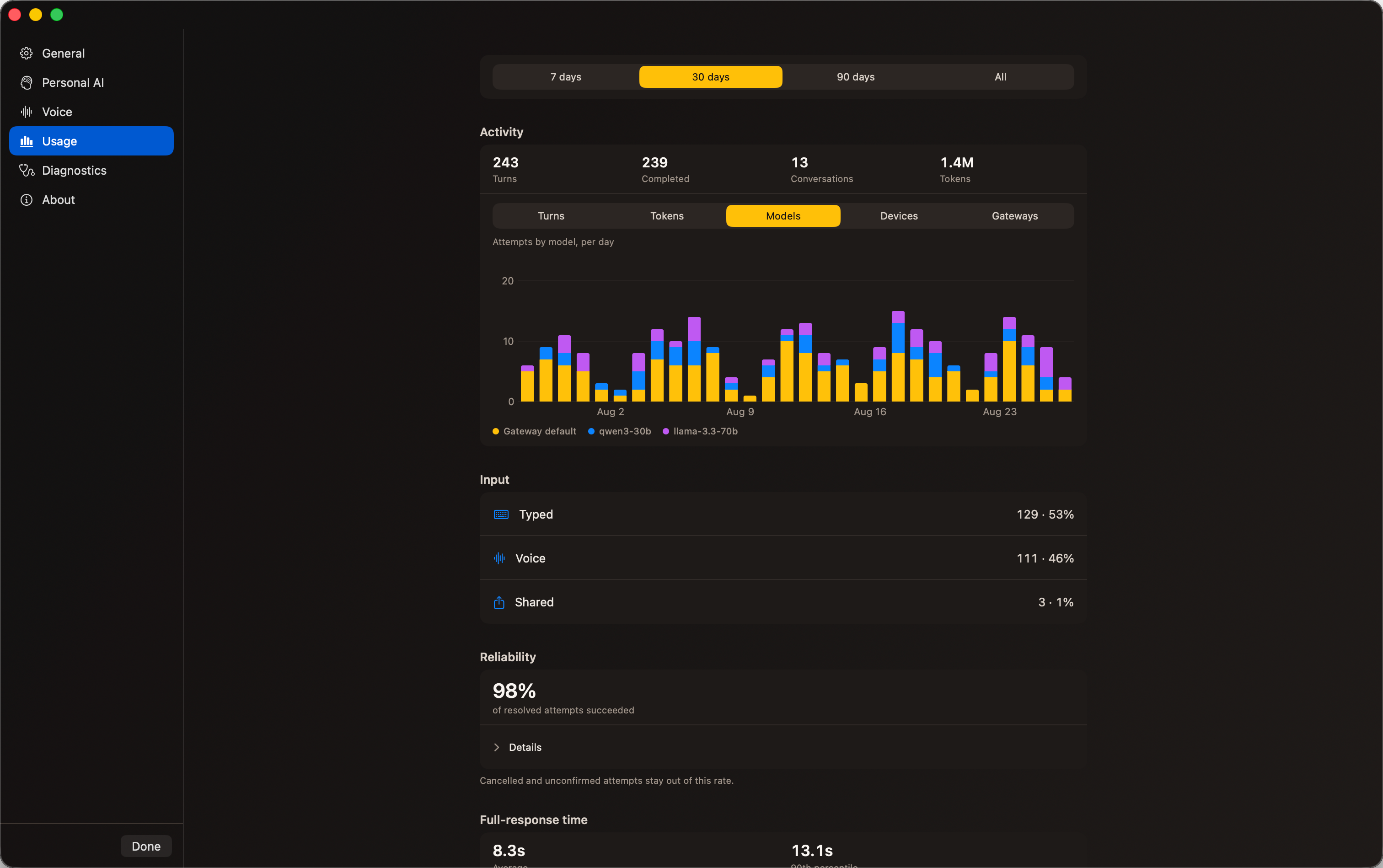
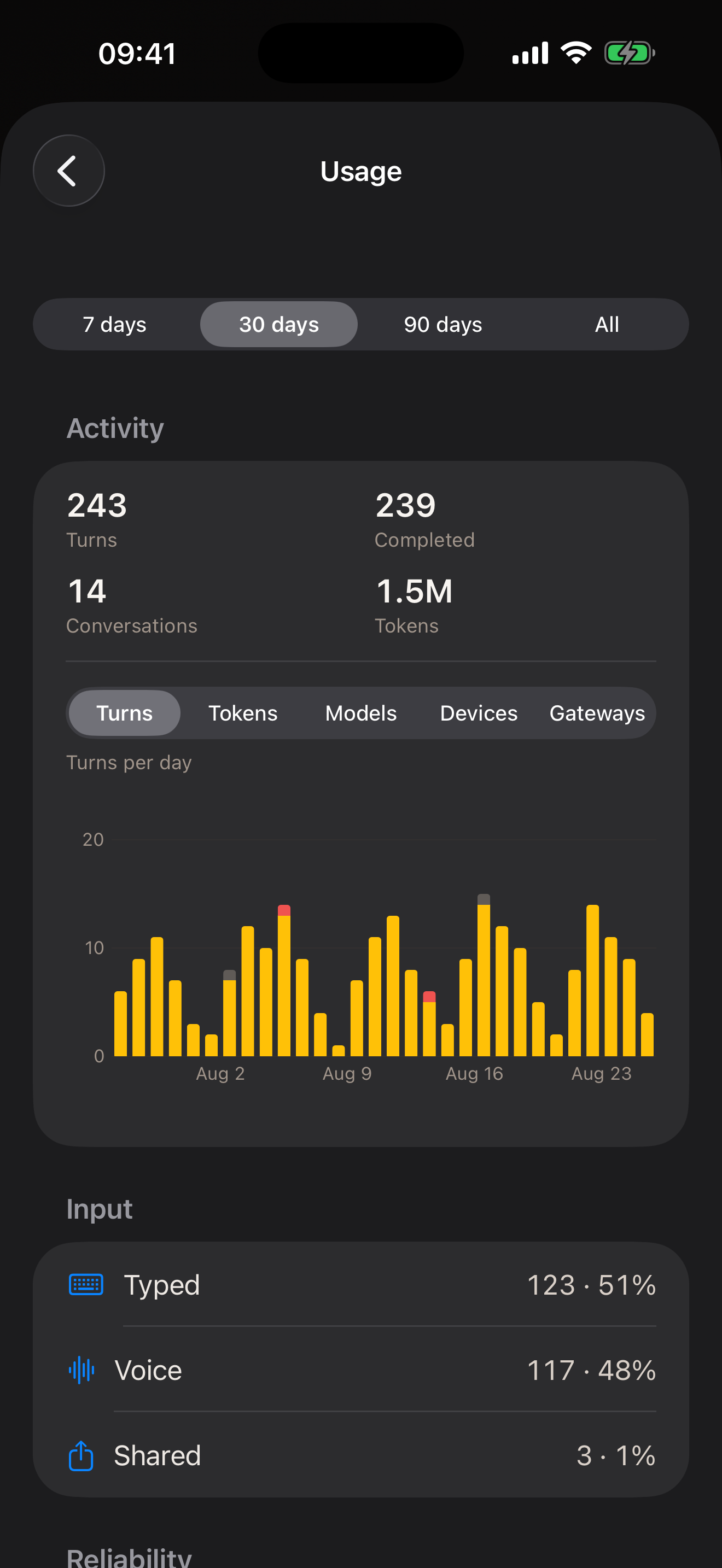
Recorded turns, completed turns, and conversations over time.
First-try delivery, retry recovery, cut-short replies, and failure reasons.
How long complete answers take, including the network and tool runs.
By connection, model, Apple device, and typed, voice, or shared input.
0 Conduck-operated intermediary servers · 0 Conduck server relays · 0 telemetry
Conversation history lives on your devices and syncs through your private iCloud when available. That includes inline images, text-file attachments, and stored previews of files your AI produces.
Your API keys and tokens live in the Apple Keychain. With iCloud Keychain on, synchronizable items can move end-to-end encrypted between iPhone, iPad, and Mac; Watch gets a local copy from its paired iPhone.
Your model and full gateway files live on the AI you connect to - the server you run, or the provider you chose. Inline attachments and small file previews can also be stored with the chat on your devices and in your private iCloud, never with us.
No Conduck account, no Conduck-operated intermediary server, no telemetry. There's nothing here for us to read, leak, or hand over.
Your AI should answer only to you.
You choose your AI. You rely on it. You tell it things. So the client in your hand should work for you, not turn your conversations into its business model. Conduck is open source: read it, build it yourself, and connect it to the AI you choose. Conduck keeps the app’s copy of your conversation history on your devices and in your own iCloud. The AI connection receives what you send - that’s how it can answer - but no Conduck-operated intermediary sits in between. And that matters.
FAQ
Conduck connects directly to services that implement the OpenAI-style chat routes and response shapes it needs, and uses small adapters for other agent harnesses. We have run it with self-hosted gateways like OpenClaw and Hermes; model servers and gateways like Ollama and LiteLLM; Open WebUI; OpenRouter when you want no server; and agent harnesses such as OpenHands, OpenAI Codex CLI, and Cline. The adapter contract is public, so any agent harness - including one you built - can sit behind Conduck: your coding AI writes the adapter from the build brief and conduck-connect checks it. If you have nothing yet, OpenRouter is the quickest route: add your own key and start chatting.
Neither. Conduck is the native Apple client. An AI gateway routes requests to model providers; an agent harness runs the agent loop, tools, and file access. Conduck can connect to either when it exposes the routes and response shapes Conduck needs.
Yes. Attach photos, screenshots, and code or text files inline, or share anything into Conduck from another app - straight into a chat, or into Work to use later. If you self-host an agent, its tools can even read and write real documents through a file server you run. Vision and file features depend on what the AI you connect supports.
A private desk beside your chats for the thoughts, voice notes, screenshots, links and files you'll use with your AI later. Saving to Work sends nothing to your AI: you write the task, pick the materials, choose the connection and review the exact message before anything goes out. Voice notes are saved as words. With content sync on, the desk syncs through your private iCloud; very large files stay on the device that captured them. The free plan includes three active projects.
Apple on-device transcription is the default - your voice never leaves the device. Prefer a cloud voice? Pick one and use your own key; the audio goes straight from your device to that provider, never through us. Spoken replies are off by default everywhere except CarPlay.
Yes. For a server you reach over a private network like Tailscale or your own LAN, Conduck supports an explicit keyless mode - no key to manage. Encryption is a separate question: a Tailscale address still needs https://, while a server on your own network can be reached at a plain http:// address if you give it a private IP or a .local name. Conduck says on screen when a connection isn't encrypted, and that one only works while you're on that network.
It can't. There's no Conduck-operated intermediary server in the path and no telemetry - your messages go from your device to the AI and providers you chose, under your own keys, over HTTPS whenever they leave your own network. The App Store label reads "Data Not Collected."
Conduck is free to download and use, with no ads. The free plan includes three active Work projects and three configured gateways across OpenClaw, Hermes and custom connections; OpenRouter never uses a slot. Conduck Pro is an optional monthly subscription (USD 29.99 or EUR 29.99; other storefront prices are shown in the app) that lifts both limits on iPhone, iPad and Mac. Above the free limits, choose which projects and gateways stay active; your materials, conversations and saved connection settings are kept. Restore an archived project before adding materials or continuing its conversations. Organization-managed use requires an agreement. Your other costs are the ones you control: your own hosting and provider keys, billed directly by those services.
Conduck's application source is public on GitHub under Apache 2.0. The official App Store build is made from that source, with brand artwork, signing, and Apple's CarPlay entitlement added for distribution; no functional code is withheld. The optional conduck-connect setup tool is public separately, and the adapter contract it checks is published on this site.
The app is free, and Conduck Pro is optional. Beyond that, if you self-host, you pay for that machine - a small VPS or an always-on Mac mini - plus your own model and speech keys, billed directly by those providers. On a hosted model, you pay that provider directly. Nothing flows through us, and Pro includes no model or voice credits.
Yes - Settings → Usage, and it's your view alone. Conduck records the turns it sends and draws them as an activity chart: turns sent and completed, how often a first try lands, how long a full answer takes, and the tokens your AI reported - with cached input and reasoning output split out where your AI reports them. Break it down by connection, by device (iPhone, iPad, Mac, Watch, CarPlay), or by model, and open up the failures worth a second look or your heaviest conversations. The measuring runs on your device, and the records sit beside your conversations in your own iCloud - there's no Conduck server for them to reach. You won't find costs in there: your provider bills you directly and Conduck can't see that, so a money figure would be a guess. Clear the history whenever you like - one clear takes it off every device.
Your conversations sync across your iPhone, iPad, Mac, and Watch through your own iCloud - start on one device, finish on another. It's your private database; we have no access.
No. On iPhone, iPad, and Mac each connection's settings live in your own iCloud and its key lives in your Apple Keychain - with iCloud Keychain on, that key moves between your own devices end-to-end encrypted. Sign the new device into the same iCloud account and your AIs are already there: no setup code to find, nothing to pair again. An Apple Watch is the exception - it gets its copy from the iPhone it's paired to, not from iCloud.
Rotate the key where you issued it - on your own server, or in your provider's dashboard. Forgetting the connection in Conduck removes its synced settings and synchronizable key from the iPhone, iPad, and Mac devices signed into the same iCloud account; the certificate pin is local to each device. Forget does not revoke the credential at the server or provider, and an offline or otherwise unreached copy may still work. Rotation is the one action that cuts off every copy at once, the lost device included. For Apple Watch, do the forget on its paired iPhone: that iPhone can tell the Watch to erase its local copy, while a forget done on iPad or Mac cannot reach the wrist.
iPhone, iPad, Mac, Apple Watch, and CarPlay - one native client, with your conversations synced across all of them. Requires iOS, iPadOS, macOS, and watchOS 26.5 or later.
Not yet. Android is being explored, but no Android client is production-ready or available today. Conduck is Apple-native today - iPhone, iPad, Mac, Apple Watch, and CarPlay.
Available now for iPhone, iPad, Mac, Apple Watch, and CarPlay.
iPhone · iPad · Mac · Apple Watch · CarPlay